App Version & System Requirements
Before you download, check that your phone meets the requirements. The jk1111 app is designed to run smoothly on most Android phones sold in Bangladesh since 2020.
| App Name | jk1111 — Cricket Betting & Casino |
|---|---|
| Version | 3.4.12 |
| File Name | jk1111.apk |
| File Size | 36 MB |
| Minimum Android | Android 6.0 (Marshmallow) or higher |
| iOS Support | Web App (Add to Home Screen) — no App Store listing |
| Last Updated | 3 November 2026 |
| Price | Free |
| Languages | English / Bangla |
Not registered yet? Create a jk1111 account first so you can log in straight after installation.
App vs Web Browser — What's the Difference?
Both the jk1111 app and the browser version give you access to the full game library. The app adds a few practical advantages, especially on a mobile data connection.
| Feature | jk1111 App | Web Browser |
|---|---|---|
| Instant access from home screen | Yes | Bookmark only |
| Push notifications for match results | Yes | No |
| Works on slow 3G connections | Optimised | Depends on browser |
| Full game lobby (2,900+ games) | Yes | Yes |
| Live cricket score widget | Yes — in-app panel | Browser tab only |
| bKash / Nagad deposit | Yes | Yes |
| Deposit arrival time | About 6 minutes | About 6 minutes |
| Fingerprint / PIN login | Yes | No |
| Auto-reconnect on data drop | Yes | No |
| iOS support | Android only | All devices |
If you use an iPhone, see the iOS Add-to-Home-Screen steps below — you still get a near-app experience.
What You Can Do Inside the jk1111 App
App UI preview
Scan the QR code with your Android phone's camera to start the download directly. No need to type a URL. Once installed, log in with your existing account or register free.
Scan to download
Cricket Betting
Bet on Bangladesh Premier League, IPL, T20 World Cup, and ODI series. The in-app score panel updates live so you never miss a wicket. Place bets in seconds during a mid-over break.
Slots & Fishing
Access slots like Dragon Master (Evolution, RTP 96.8%) and Butterfly Blossom (PG Soft) plus fishing games such as Bombing Fishing straight from the app home screen. No browser needed.
Live Casino
Real dealers stream in HD. Play Andar Bahar (Pragmatic Play) and other live table games. The app keeps the stream stable even when you switch between Wi-Fi and mobile data mid-session.
Crash & Instant Games
Crash by CQ9 (RTP 96.3%) and Color Prediction (PG Soft, RTP 97.6%) load in under 3 seconds on the app. Cash out at the right moment — the round timer is always visible on screen.
bKash & Nagad Deposits
Tap Deposit, choose bKash, Nagad, Rocket, or Upay, and confirm on your mobile wallet app. The minimum deposit is ৳100 and funds arrive in about 6 minutes. No extra charges from jk1111.
Match & Bonus Alerts
Turn on push notifications to get alerts when your team scores, when a reload bonus is live, or when your withdrawal of ৳900+ has been processed. Turn them off anytime in phone settings.
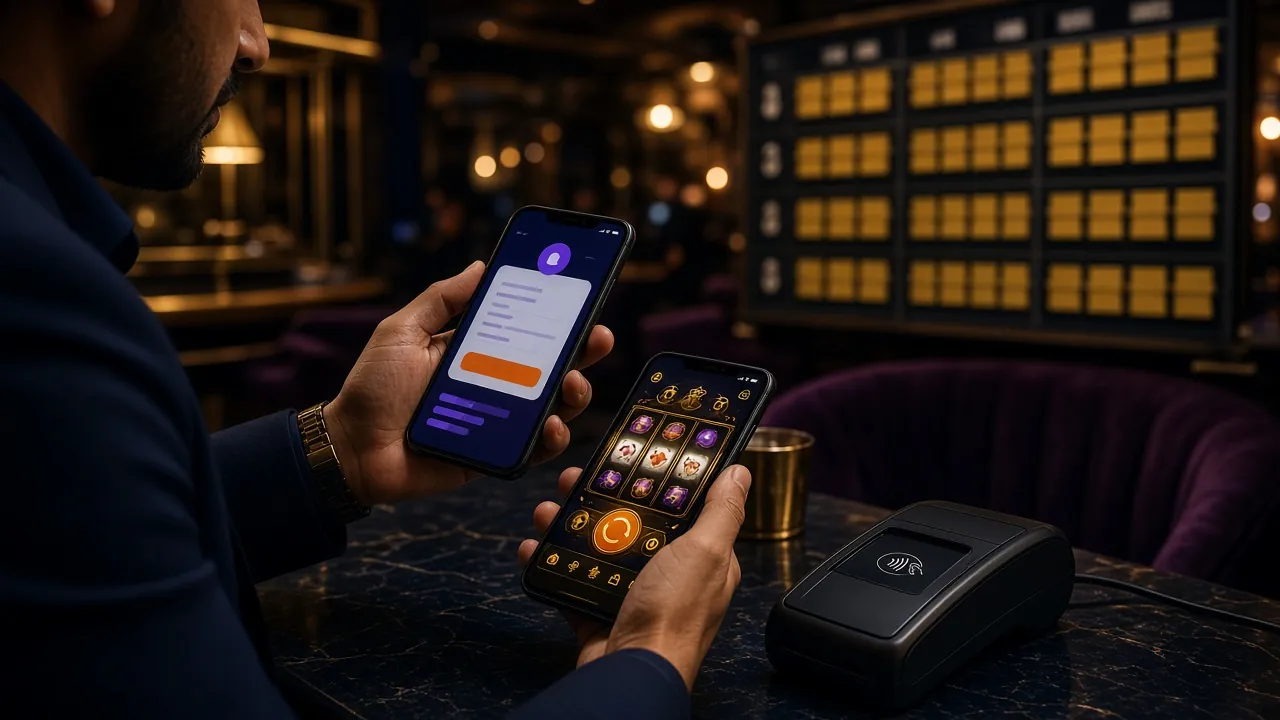
Is It Safe to Install an APK Outside the Play Store?
Android blocks APK installs from outside the Play Store by default — that's a reasonable precaution. Here's what jk1111 does to keep the file clean and your data protected.
SSL on Every Connection
All data between your phone and jk1111 servers travels over TLS 1.3 encryption. Your login credentials, payment details, and game history are never sent in plain text.
Signed APK — Unchanged from Source
The jk1111.apk file is digitally signed. If the file were modified after release, Android would refuse to install it. Download only from jk1111.ws to get the verified build.
Minimal Permissions
The app requests only what it needs: internet access, camera (for KYC photo upload), and storage (for download cache). It does not access your contacts, SMS, or call log.
Account Security
Enable fingerprint or PIN login in Settings after your first sign-in. If you lose your phone, contact [email protected] immediately — the team can lock your account within minutes.
Installing the APK on Android — Step by Step
The whole process takes about two minutes. Follow these steps in order. The exact menu names differ slightly between phone brands, but the logic is the same.
-
1
Allow Installation from Unknown Sources
Go to Settings → Security (some phones call it "Privacy" or "Apps"). Find "Install Unknown Apps" and tap it. Select your browser or file manager from the list and toggle it to Allowed. This one-time change lets Android install APK files you download yourself. You can turn it back off after installation if you prefer.
-
2
Download jk1111.apk
Tap the "Download APK" button on this page from your Android browser, or scan the QR code above. The file is 36 MB — it downloads in about 30 seconds on a standard 4G connection. Your browser's notification bar will show the download progress. Avoid downloading over public Wi-Fi.
-
3
Open the Downloaded File
Tap "Open" in the browser's download notification, or go to Files → Downloads and tap jk1111.apk. Android will ask if you want to install this app. Review the permission summary (internet, camera, storage) and tap "Install". The installation finishes in under 10 seconds.
-
4
Open the App and Log In
Tap "Open" once installation is complete, or find the jk1111 icon on your home screen. Enter your registered email and password to log in to jk1111. If you do not have an account yet, tap "Register" inside the app — it only takes about two minutes.
-
5
Make Your First Deposit and Claim the Bonus
Tap Deposit, pick bKash or Nagad (minimum ৳100), and confirm on your wallet app. Funds arrive in about 6 minutes. Your first deposit automatically qualifies for the welcome bonus — up to ৳15,000 extra. The app will show the bonus credited in your wallet once it clears.
On an iPhone? Add jk1111 to Your Home Screen
Apple does not allow APK files, but the jk1111 mobile site works like an app when saved to your home screen. You get a full-screen view, no address bar, and a launch icon — the same look as an installed app.
- Open jk1111.ws in Safari (not Chrome — only Safari supports this feature on iOS).
- Tap the Share button at the bottom of the screen (the box with an arrow pointing up).
- Scroll down the share sheet and tap "Add to Home Screen".
- Change the name to "jk1111" if you like, then tap "Add" in the top-right corner.
- Find the jk1111 icon on your home screen and tap it. The site opens full-screen, just like a native app.

Dragon Master
Evolution · RTP 96.8%

Bombing Fishing
PG Soft · RTP 97.5%
Crash
CQ9 · RTP 96.3%
Andar Bahar
Pragmatic · RTP 96.4%
Keno Bonus
JILI · RTP 97.5%
Swipe to browse. All games available on both Android app and iOS web app. See the full casino lobby →
When the Installation Doesn't Go Smoothly
Most problems have a quick fix. Check the table below before contacting support.
| Problem | Likely Cause | Fix |
|---|---|---|
| "Install blocked" message | Android's "Install Unknown Apps" permission is not enabled for your browser or file manager. | Go to Settings → Security → Install Unknown Apps. Find your browser in the list and switch it to Allowed. Then tap the APK again. |
| "App not installed" error after tapping Install | The APK download was interrupted, leaving a corrupt file. Or a previous beta version of jk1111 conflicts with the new build. | Delete the incomplete jk1111.apk from your Downloads folder. If an older version is on your phone, uninstall it first. Then download a fresh copy from jk1111.ws. |
| App installs but crashes on launch | Your phone runs Android 5 or lower — below the minimum supported version (Android 6.0). | Check your Android version in Settings → About Phone. If it's below 6.0, use jk1111.ws in your mobile browser instead. The site is fully optimised for older devices. |
| Download stalls at 0% or never starts | Slow or blocked internet connection. Some ISPs temporarily restrict direct APK downloads. | Switch from mobile data to Wi-Fi, or try a different data network. If still blocked, use the QR code scanner from a different phone on a fresh connection. |
| Games load slowly inside the app | Low phone storage or background apps using too much RAM. Game assets cannot cache properly. | Free up at least 200 MB of storage. Close background apps and restart the jk1111 app. Games like Crash and Slots require a stable connection — 4G or Wi-Fi works best. |
Still stuck? Email [email protected] or use 24/7 Live Chat inside the app. Include your phone model and Android version for a faster response.
Questions About the jk1111 App
1 Is the jk1111 APK safe to download and install?
Yes. The jk1111.apk file is digitally signed and hosted directly on jk1111.ws. Android verifies the signature on install — if the file has been tampered with, Android will refuse to install it and show an error. The app requests only three permissions: internet access, camera (for KYC document upload), and storage (for temporary game cache). It does not read your SMS, contacts, or location. Download only from jk1111.ws to avoid unofficial copies.
2 Why can't I find the jk1111 app on the Google Play Store?
Google Play's policies restrict real-money gambling apps in many regions, including Bangladesh. That's why jk1111 distributes the app directly as an APK from its own website. The app is functionally identical to what you'd get from a store listing. Many Bangladeshi players already use apps this way — Daraz, bKash updates, and several local apps also distribute APKs directly at times. The direct download is intentional, not a workaround.
3 How do I update the jk1111 app when a new version comes out?
The app checks for updates automatically when you open it. If a new version is available, you'll see an in-app prompt with a one-tap download button. Alternatively, revisit this page and download the latest APK — the current version is 3.4.12, updated 3 November 2026. Installing the new APK over the existing one (without uninstalling first) keeps all your account data and settings intact.
4 Can I use the same account on both the app and the website?
Yes. Your jk1111 account works across the app, the mobile website, and the desktop browser simultaneously. Your wallet balance, bonus status, game history, and deposit methods are all synced in real time. If you're in the middle of a live casino session on the website, you can pick it up on the app without losing your place — just log in with the same credentials on both devices.
5 What is the minimum deposit amount on the app?
The minimum deposit through the app is ৳100 — same as the website. You can use bKash, Nagad, Rocket, Upay, or Bank Transfer. Deposits arrive in about 6 minutes. For withdrawals, the minimum is ৳900 and the maximum per day is ৳70,000. The app shows your full transaction history under Account → Payments, so you can track every deposit and withdrawal in one place.
6 Does the app work on a tablet or only on phones?
The jk1111 app runs on any Android 6.0+ device, including tablets. The layout adjusts for wider screens: on a tablet you'll see more game tiles per row and the cricket score panel docks to one side. Live casino streams also look noticeably better on a larger display. The file size is still just 36 MB regardless of device. iPad and other iOS tablets can use the browser-based web app via Safari's "Add to Home Screen" feature.
7 I already have an account — do I need to register again on the app?
No. Your existing jk1111 account works on the app straight away. Open the app, tap "Log In", and enter the email and password you used when you registered on jk1111. If you've forgotten your password, tap "Forgot Password" on the login screen — a reset link will arrive at your registered email address. You do not need a separate app account, and your balance carries over immediately.
Ready to Play on Your Phone?
Download thejk1111 app, make your first deposit via bKash or Nagad, and start betting on cricket tonight.
New to jk1111?
Create your account in about two minutes. Your first deposit gets a bonus of up to ৳15,000.
Register FreeBrowse the Casino
See all 2,900+ games available on the app — slots, live casino, cricket, crash, and fishing.
View CasinoHow to Deposit
Step-by-step guide for bKash, Nagad, Rocket, and Upay deposits on the jk1111 app.
Deposit GuideThe jk1111 app is for adults aged 18 and over. Gambling is entertainment — never bet money you cannot afford to lose. Use the deposit limit and self-exclusion tools in Account Settings at any time.